
How to Use a Dive Computer – Complete Guide
How to Use a Dive Computer
A Practical Guide for Recreational Divers
Dive computers make recreational diving safer and easier by tracking depth, time, limits, ascent behavior, and surface intervals in real time. This guide covers the universal basics first, and then explains how to use our rental model: Suunto Zoop Novo.
Looking for a new computer? Start here: Best Dive Computers.
Why a Dive Computer Is Essential
A dive computer is the most important safety tool you use underwater. It continuously tracks your actual depth and time and calculates your no-decompression limits (NDL), ascent rate, safety stops, and surface intervals in real time. In other words: it helps you stay within safe limits and gives you immediate feedback when something needs attention. To understand how computers monitor stops and decompression-related limits in more detail, read: Safety Stops & Dive Computer Monitoring.
Unlike dive tables, which are built around fixed, theoretical “square” dive profiles (down – stay – up), a dive computer adapts instantly to how you actually dive. Real recreational dives are usually multi-level: you start deeper, then gradually work shallower, and finish near the reef or in the safety-stop zone. Because the computer follows that exact profile second-by-second, it can be both more precise and more conservative where needed.
This becomes even more relevant on repetitive diving days. Your surface interval, previous depth exposure, and your real dive profile influence the next dive. A dive computer automatically accounts for that — which makes planning safer and much easier than relying on simplified assumptions.
That’s also why our course participants almost all use dive computers today. They don’t replace training or common sense — but they dramatically improve awareness and safety when used correctly.
Important: A dive computer is a safety tool — not a license to push limits. Conservative diving and good judgment always come first.
Dive Computer vs. Dive Tables
| Topic | Dive Tables | Dive Computers |
|---|---|---|
| How calculations work | Based on simplified, fixed square profiles (one max depth + one bottom time) | Tracks your real dive profile in real time and updates limits continuously |
| Multi-level dives | Difficult to plan accurately for real-world depth changes | Designed for it — NDL adapts dynamically as you go shallower |
| Ascent control | No live ascent-rate monitoring | Shows ascent rate and warns if you go too fast (a key safety factor) |
| Safety stops & stop reminders | Manual timing and depth control | Automatic prompts and countdowns for stops (incl. safety stops) |
| Surface interval & repetitive dives | Manual planning required; easy to make mistakes over multiple dives | Automatically tracks surface interval and repetitive diving based on your actual profile |
| Nitrox capability | Requires separate Nitrox tables | All modern dive computers are at least Nitrox-capable: Nitrox Info |
| Gas consumption | No gas tracking; separate calculations needed | Many models can estimate gas consumption (with transmitter support). Basics: Gas Consumption |
| Logbook & app sync | Manual notes only | Modern computers can sync dives to an app and replace a paper dive logbook |
Dive tables are still useful for learning and basic planning, but they don't reflect how most modern recreational dives are actually done.
Why Dive Computers Are Especially Useful for Deep Dives
A dive computer becomes even more valuable on deeper dives, where no-decompression limits can shrink quickly and ascent control matters. It constantly updates your remaining NDL, monitors ascent speed, and helps you manage stops properly. Deep dives are also often done as multi-level profiles — and that's exactly where a computer gives you more accurate guidance than tables can. Read more here: Deep Diving – Limits, Planning & Safety.
Another key advantage is surface interval tracking. After deeper or repetitive dives, your next dive depends on what you actually did, how long you stayed deep, and how long you rested at the surface. A dive computer automatically accounts for your profile and surface interval — making repetitive diving days far easier to manage safely.
Choosing Your Dive Computer
If you’re considering buying your own, start with our overview here: Best Dive Computers. Even a simple entry-level model makes diving more relaxed, safer, and easier to understand — especially for new divers and frequent travelers.
Practical tip: If you plan to dive Nitrox, do multiple dives per day, or want clean digital logging, choosing a modern Nitrox-capable computer with app sync is worth it.
What a Dive Computer Monitors
Every modern recreational dive computer tracks:
- Current depth
- Maximum depth
- Dive time
- No-Decompression Limit (NDL)
- Ascent rate
- Surface interval
- Safety stop
- Warnings & alarms
Basic Dive Computer Operation (Universal)
Before the Dive
- Make sure the computer is activated
- Check battery level
- Confirm it is set to Air or Nitrox (correct O₂ %)
- Confirm units: meters / bar
- Do not share a dive computer with another diver
During the Dive
- Descend slowly and monitor depth
- Keep an eye on your NDL countdown
- Watch the ascent rate indicator during ascents
- Never exceed your training limits or computer warnings
If the computer beeps or flashes: stop, slow down, or ascend carefully.
Safety Stop
- Most computers prompt a 3-minute stop at around 5 meters
- Stay calm, neutral buoyant, and keep an eye on the countdown
- Wait until the stop clears before ascending to the surface
After the Dive
- Leave the computer on
- Rinse with fresh water
- Respect the no-fly time
- Do not reset or change settings between dives
Common Dive Computer Warnings Explained
| Warning | Meaning | Action |
|---|---|---|
| Fast ascent | Ascending too quickly | Slow down immediately |
| NDL low | Near the no-decompression limit | Ascend or level off |
| Ceiling | Mandatory stop required | Do not go above the ceiling depth |
| Lock mode | Safety violation detected | Computer may disable functions temporarily — follow your guide and dive conservatively |
How to Use Our Rental Dive Computer
Suunto Zoop Novo – Step by Step
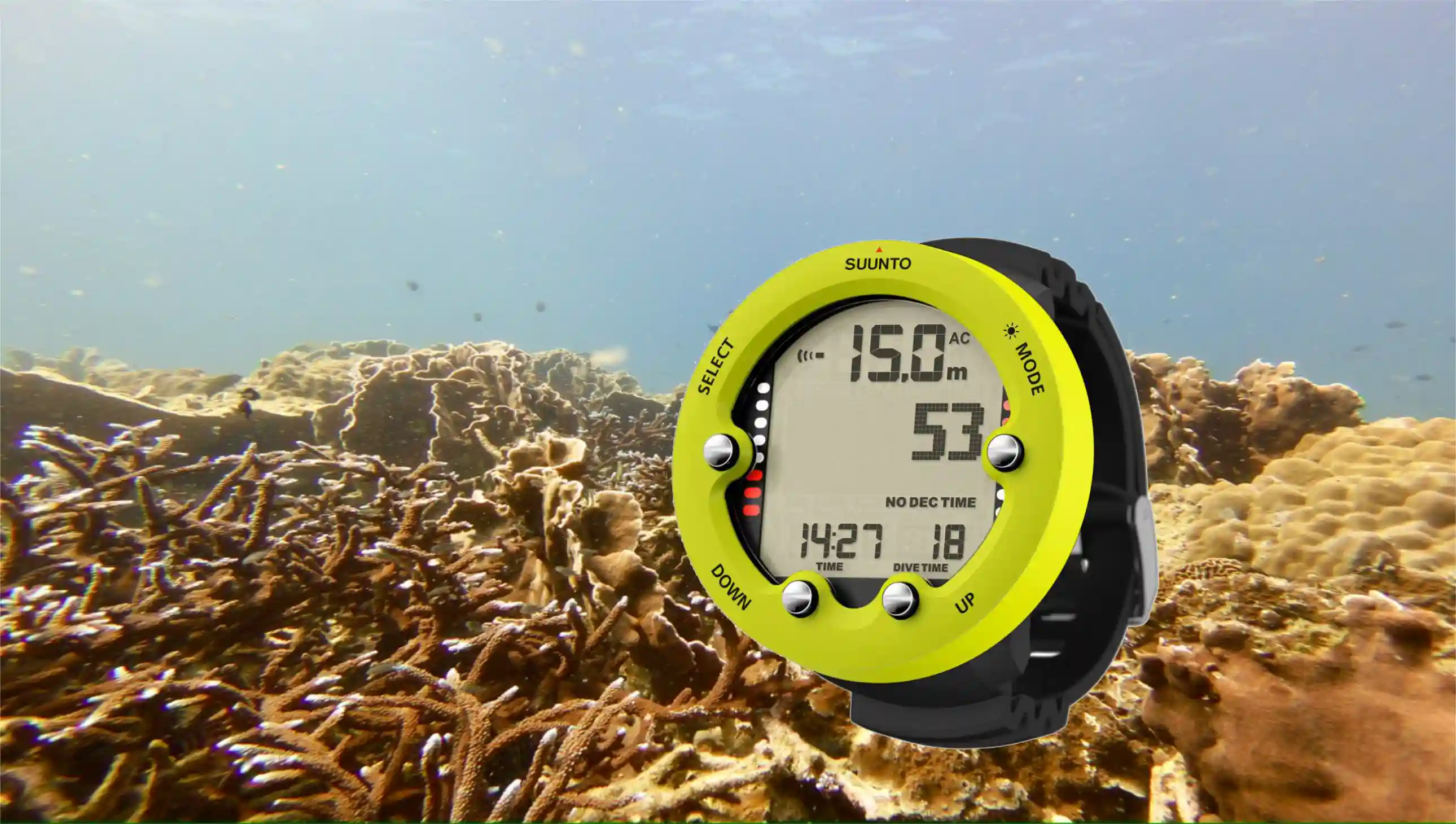
At Chang Diving Center we use the Suunto Zoop Novo, a robust and beginner-friendly dive computer ideal for recreational diving.
Buttons Overview
The Zoop Novo has four buttons:
- MODE button (top left) – Switch between modes and settings
- DOWN button (bottom left) – Scroll down / Decrease values
- UP button (bottom right) – Scroll up / Increase values
- SELECT button (top right) – Confirm selections / Toggle display
Simple and reliable — perfect for new divers.
Before the Dive (Zoop Novo)
- Computer activates automatically in water
- We pre-set: Air mode (or Nitrox if booked) and meters
- Check the screen: no error messages and battery symbol OK
No setup needed by the guest.
Reading the Display Underwater
Main screen shows:
- Current depth (big number)
- Remaining NDL
- Dive time
- Ascent rate bar on the right side
If ascent bars fill up → slow down.
Safety Stop on the Zoop Novo
- Automatically activates between 3–6 meters
- Shows countdown timer and stop depth
- Once finished, normal display resumes
Alarms You Might See
- Beeping + flashing depth → ascending too fast
- NDL flashing → get shallower
- Stop sign → mandatory stop required
If unsure, follow your guide — we monitor all dives.
After the Dive
- Leave the computer on your wrist
- Rinse with fresh water
- Do not press buttons unnecessarily
- The computer stores all dives automatically
Important Rules When Using a Rental Dive Computer
- One diver = one computer
- Do not swap computers between dives
- Do not dive without it
- Always dive within your certification limits
Final Tip from Us 🤿
A dive computer is not a license to push limits. It is a safety tool, not a challenge. Used correctly, it makes diving safer, more relaxed, and more enjoyable.
Recommended Next Reads
🛡️ Safety Essentials Series
Master these safety topics for safer diving:
⚙️ Equipment Guides
Master your diving equipment:
- 💻 Best Dive Computers 2026
- 📖 How to Use Your Dive Computer – You are here!
- 📓 Dive Logbook Guide
- 🎈 SMB Deployment Guide